Circuit Designer
-
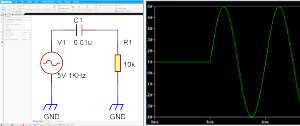
LTspice® Link (Circuit Simulation)
Quadcept links with Analog Devices’ LTspice® for advanced schematic simulation, significantly boosting engineering efficiency.

-
Component Selection & Procurement (Distributor Integration)
Check real-time pricing, stock, lifecycle (EOL), and specs from four major distributors directly within your CAD. Select parts using live data to simplify ordering and procurement.
-
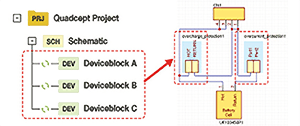
Device Block
Save proven circuits as reusable modules to streamline derivative designs and boost both quality and productivity.
-
-
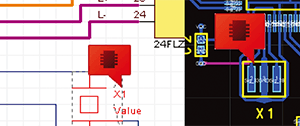
Insert Comments and Share
You can input notes directly on the Circuit Designer data to send instructions to the layout engineer.You can add comments to Component,Net, and Others.

-
Data Conversion
Protect and reuse your design assets by importing schematic and component data directly from other CAD systems, including CR-5000 SD, OrCAD, Protel, and Altium.

-
Auto & Parallel Routing
Simply click the pins you want to connect to automatically route around obstacles, or use parallel routing to create multiple connections at once to speed up your design workflow.
-
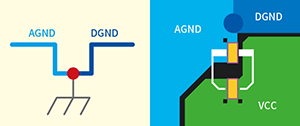
Single-Point Grounding
Connecting two different GND nets at a single point excludes them from DRC errors, eliminating manual visual checks and significantly cutting PCB design time.
-
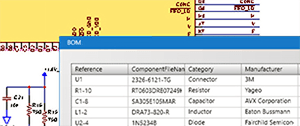
Customizable Bill of Materials (BOM)
Easily export component properties directly from your schematic to generate detailed parts lists and BOMs efficiently.
-
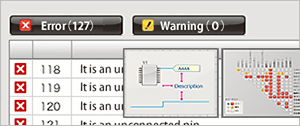
Comprehensive Rule Checks
Validate electrical characteristics and physical/visual guidelines with automated ERC and DRC to streamline standard-compliant, error-free schematic design.
-
PDM Integration
Batch export manufacturing PDFs, BOMs, netlists, and reports to integrate seamlessly with various PDM systems.
-
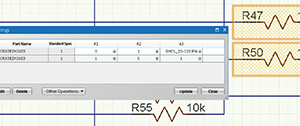
Design Variant Management
Manage variations by region or grade within a single design. Set components as unpopulated (DNP) to instantly generate targeted BOMs, maximizing design reuse and precision.

-
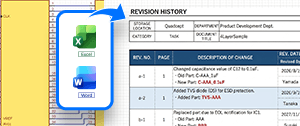
Insert OLE Objects
Paste Word or Excel data directly from your clipboard to place revision histories and notes onto your schematic. Embedded objects can be edited, moved, and resized for complete layout flexibility.