



Quadcept : Creating IPC Footprints
Pad Details
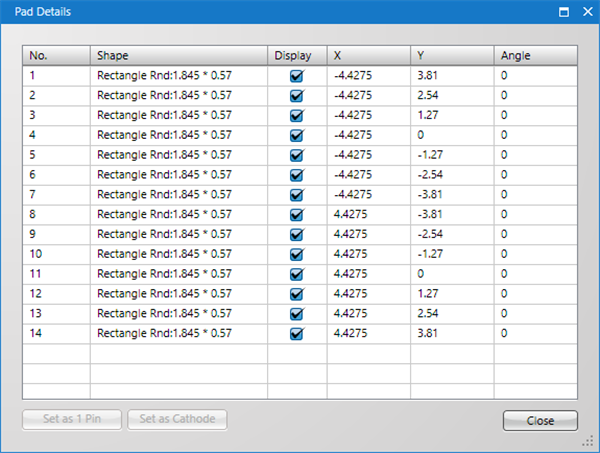
It is possible to confirm pad details as a list.
You can confirm the Pad Shape, Pad No., Coordinates, and Angle, and toggle display ON/OFF.
You can also change the position for Pin 1.
About Pad Details
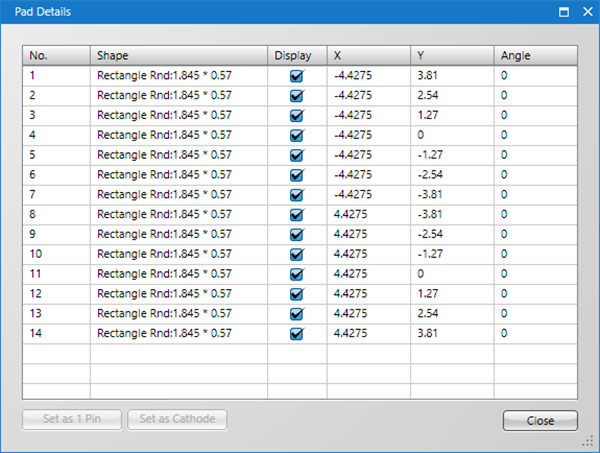
About Items
| Item | Content |
|
No. |
Shows the Pad No. |
|
Shape |
Shows the Pad Shape. |
|
Display |
When checked, the pad is displayed. When not checked, the pad is not displayed. |
|
X |
Shows the pad's X coordinate. |
|
Y |
Shows the pad's Y coordinate. |
|
Angle |
Shows the pad's angle. |
About Buttons
| Button Names | Content |
|
Set as 1 Pin |
The selected pin is set to Pin 1, and pin numbers are reassigned. |
|
Set as Cathode |
For components with polarity such as LEDs, the selected pin is respecified as a cathode. |
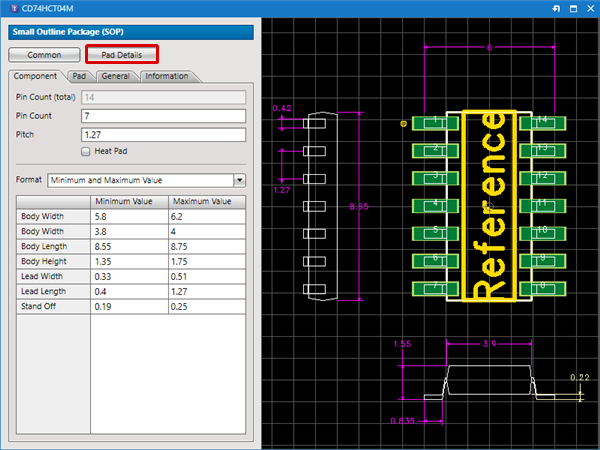
Displaying the Pad Details Screen
| Displaying the Pad Details Screen |
| The following will explain how to display the Pad Details screen. |
|
 |
|
 |